


































_1788405137356.jpg)
Working from home can offer greater flexibility, but creating a productive workspace requires more than putting a desk in an empty corner. The right home office should support concentration, comfort, communication, and a healthy separation between work and personal life.
If you are wondering how to build a home office, start by thinking about how you actually work. Do you spend most of your day on video calls? Do you need multiple monitors? Do children, pets, traffic, or household activities create distractions? Your answers will determine the ideal location, furniture, lighting, technology, and privacy solutions for your workspace.
This guide explains how to create a functional home office, whether you are converting an entire room or working with a limited amount of space.
1. Decide What You Need From Your Home Office
Before buying furniture or equipment, define the purpose of your workspace.
Someone who works primarily with documents may need a large desk and storage. A remote employee who spends hours on video meetings may prioritize lighting, a professional background, and acoustic privacy. A designer or developer may need multiple monitors and a larger work surface.
Make a simple list of your daily activities:
- Computer and desk work
- Video conferences
- Phone calls
- Writing and reading
- Creative work
- Client meetings
- Online presentations
- Focused individual work
Understanding these requirements will help you avoid buying unnecessary furniture and make better use of your available space.
2. Choose the Right Location
Location is one of the most important decisions when building a home office.
Ideally, choose an area that is separated from the busiest parts of your home. A spare bedroom, study, converted guest room, or quiet corner can all work well.
If possible, select a space with a door. A door creates a physical boundary between your professional and personal activities and can also help reduce household distractions.
Consider the following factors:
- Noise from the kitchen or living room
- Foot traffic
- Natural light
- Electrical outlets
- Internet connectivity
- Available floor space
- Distance from household activities
If you regularly work from home, the goal should be to create a space where your brain can recognize that it is time to work.
_1788405599502.jpg)
3. Position Your Desk Correctly
Once you have selected the room, think carefully about where to position your desk.
In a smaller room, placing the desk against a wall may maximize available floor space. In a larger room, you may have more flexibility to create separate work and storage zones.
Avoid positioning your monitor directly in front of a bright window if possible. Strong sunlight can create glare and make your screen difficult to see.
A better approach is often to place the desk perpendicular to the window. This allows you to benefit from natural light while reducing direct reflections on the screen.
You should also position your desk close enough to electrical outlets and network equipment to avoid excessive cables.
4. Choose an Ergonomic Desk and Chair
A home office should be comfortable enough for long working sessions.
Your desk should provide enough surface area for your computer, monitor, keyboard, mouse, documents, and other equipment. If you use several monitors, consider a larger desk or an L-shaped configuration.
An adjustable standing desk can also provide flexibility by allowing you to alternate between sitting and standing.
Your chair is equally important. Look for:
- Adjustable seat height
- Lumbar support
- Comfortable seat depth
- Stable armrests
- Proper back support
When sitting, your feet should rest comfortably on the floor, while your elbows should remain close to a 90-degree angle when using the keyboard.
A well-designed ergonomic setup can make long periods of desk work more comfortable.
5. Set Up Your Computer and Technology
Technology is the engine of most modern home offices.
Depending on your work, you may need:
- Laptop or desktop computer
- External monitor
- Keyboard and mouse
- Webcam
- Headset or microphone
- Printer
- Docking station
- High-speed internet
- Charging station
If you work primarily from a laptop, adding an external monitor can improve your screen position and reduce the need to look downward for extended periods.
For people who attend frequent video meetings, a dedicated webcam and microphone can also improve communication quality.
Cable management should not be overlooked. Use cable trays, clips, sleeves, or under-desk organizers to keep wires away from your feet and maintain a clean workspace.
6. Improve Lighting
Good lighting affects both comfort and productivity.
Natural light is valuable, but it should be combined with appropriate artificial lighting.
A practical home office lighting setup can include three layers:
Ambient Lighting
This provides general illumination throughout the room. Ceiling lights or recessed fixtures can serve this purpose.
Task Lighting
A desk lamp provides focused illumination when reading, writing, or working on detailed tasks.
Choose a lamp with adjustable brightness so you can adapt it throughout the day.
Video Call Lighting
If you regularly attend online meetings, consider how your face appears on camera. Light coming from directly behind you can make your face appear dark.
Positioning a light source in front of or slightly to the side of you can create a more balanced appearance.
7. Create a Quiet and Private Workspace
Noise is one of the biggest challenges for people who work from home.
Household conversations, televisions, appliances, traffic, children, pets, and other activities can interrupt concentration or interfere with video calls.
Start with simple solutions. A room with a solid door can provide more privacy than an open area. Rugs, curtains, upholstered furniture, and acoustic materials can also help manage reflections and reduce the feeling of noise inside the room.
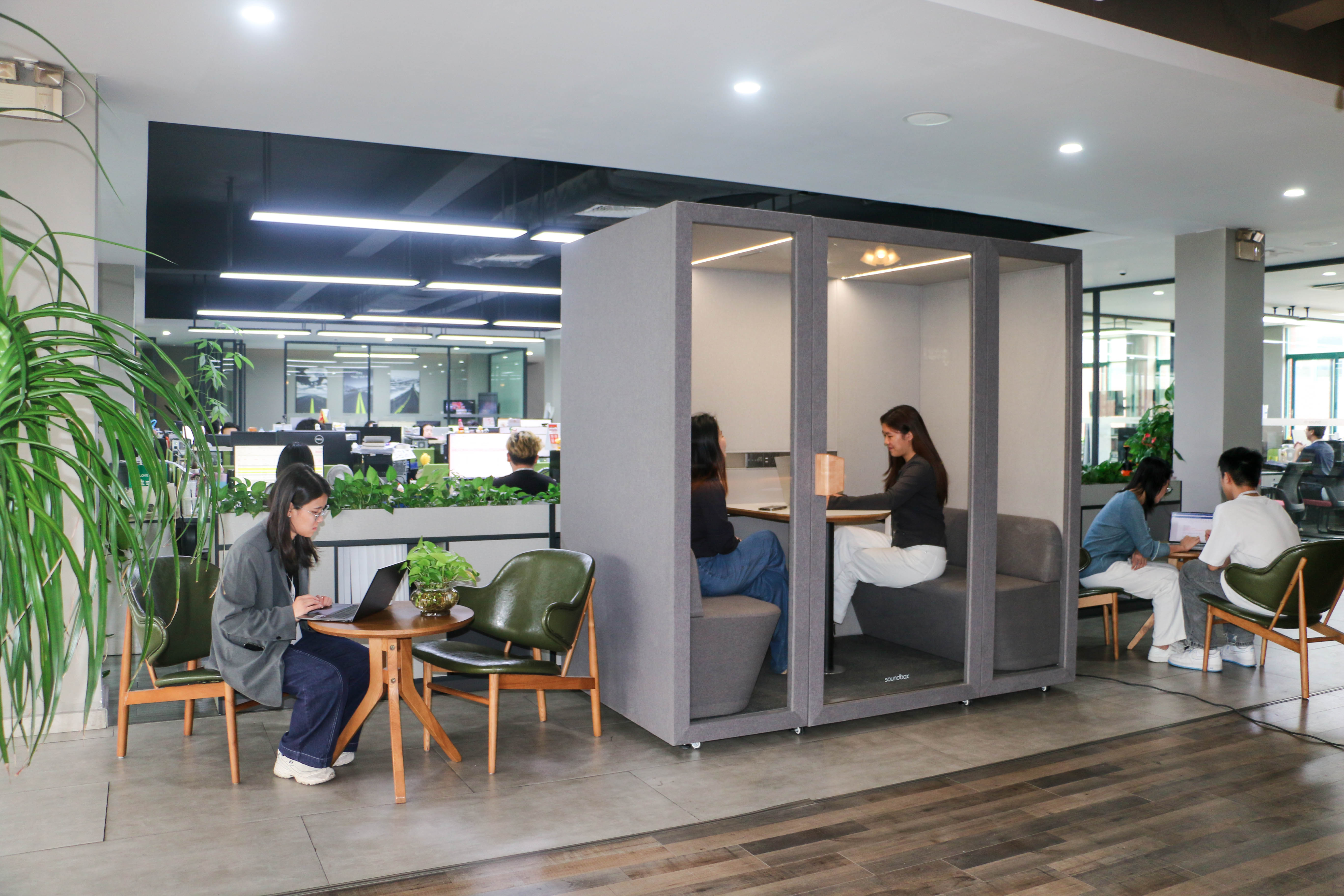
For people who spend many hours on calls or require a high level of privacy, a dedicated home office pod can be another option.
A home office pod creates an enclosed workspace within a room without requiring a permanent renovation. Depending on the design, it can combine acoustic materials, ventilation, lighting, power, and a dedicated work area.
This can be particularly useful when a separate room is unavailable or when other members of the household are using the home at the same time.
_1788405576232.jpg)
8. Plan Storage Before Your Desk Becomes Cluttered
A productive home office should make frequently used items easy to access without allowing the workspace to become crowded.
Consider:
- Shelving
- File cabinets
- Storage drawers
- Wall-mounted organizers
- Desk trays
- Document holders
- Cable management systems
If floor space is limited, use vertical storage whenever possible.
Keep the items you use every day within easy reach and store less frequently used items elsewhere.
A clean desk can also make it easier to switch between different types of work.
9. Design the Workspace Around Your Workday
A good home office should support the way your day actually unfolds.
For example, if you spend the morning in meetings and the afternoon doing focused work, you may want separate areas for communication and concentration.
If your room is large enough, create small functional zones:
- Primary computer workstation
- Reading or writing area
- Storage area
- Video meeting background
- Private call area
In a smaller home, these zones can be created within the same desk setup.
The objective is not to create the most expensive office possible. It is to create a space that supports your daily workflow.
10. Personalize Your Home Office
Once the functional elements are complete, add details that make the space comfortable and motivating.
Plants, artwork, photographs, rugs, shelves, and decorative objects can make the environment feel less sterile.
Choose colors and materials that fit your preferences without creating excessive visual distraction.
Your home office should feel like a place where you want to spend time.
11. How to Build a Home Office in a Small Space
You do not need an entire room to create a useful workspace.
A small home office can be built around a compact desk, ergonomic chair, wall-mounted storage, and carefully positioned technology.
Consider using:
- Folding desks
- Wall-mounted shelves
- Compact monitors
- Vertical storage
- Cable organizers
- Multifunctional furniture
If privacy is the biggest problem, an enclosed office pod can sometimes be more practical than trying to redesign an entire room.
The right solution depends on your available space and how much privacy you need.
12. Create a Professional Background for Video Calls
If your job involves frequent video meetings, think about what appears behind you.
A clean wall, bookshelf, plant, or simple decorative background can look more professional than a cluttered living space.
You should also check the camera angle before important meetings.
Your face should be clearly visible, and the camera should generally be positioned close to eye level.
Good lighting and controlled acoustics are equally important. A visually attractive background is less useful if background noise makes conversations difficult.
13. Review Your Setup After You Start Working
Your first setup does not need to be perfect.
After using the space for several weeks, identify what causes problems.
Ask yourself:
- Is my desk comfortable?
- Do I have enough storage?
- Is there too much noise?
- Is my screen positioned correctly?
- Is the lighting comfortable?
- Do I have enough electrical outlets?
- Can I take private calls?
- Does the workspace help me concentrate?
Make adjustments based on actual experience rather than trying to solve every possible problem before you begin.
Frequently Asked Questions
What is the first step in building a home office?
The first step is choosing the right location. Consider noise, privacy, natural light, available space, electrical outlets, and internet connectivity before purchasing furniture.
How much space do you need for a home office?
The amount of space depends on your work. A compact desk can work in a small corner, while larger setups with multiple monitors or storage require more room.
Where should you position your desk?
Whenever possible, position your desk perpendicular to a window to benefit from natural light while reducing screen glare. Also consider access to power and internet connections.
How can I make my home office quieter?
Start by choosing a room away from household activity and closing the door during work. Rugs, curtains, acoustic materials, and an enclosed home office pod can provide additional acoustic privacy.
Is a home office pod worth considering?
A home office pod can be useful when you need a dedicated private workspace but do not have a separate room available. It can provide an enclosed environment for focused work, phone calls, and video meetings.
_1788405413149.jpg)
Final Thoughts
Learning how to build a home office is ultimately about creating a workspace that fits your actual lifestyle and work requirements.
Start with the basics: choose a quiet location, position your desk carefully, invest in ergonomic furniture, organize your technology, improve lighting, and create enough storage.
Then consider the factors that can make a major difference to remote work, especially noise and privacy.
For people who regularly participate in video meetings, handle confidential conversations, or need uninterrupted concentration, an enclosed home office pod can provide another way to create a professional workspace without converting an entire room.
The best home office is not necessarily the biggest or most expensive one. It is the space that allows you to work comfortably, communicate clearly, stay focused, and maintain a healthy boundary between your professional and personal life.